How To Modify Your Monthly Support
Have you signed up as a monthly donor and need to change some aspect of your payment details? Here is how you can do that.
To change any of your donation details, you need to have or create an account on our website. This is a security measure since you'll be viewing and have edit access to your personal and financial details.
If you haven't created an account yet, not to worry. It's very easy. Simply use the same email address that you used to setup your monthly donation, and you'll be connected to your correct donation details.
If you have your account login details ready, or once your account is activated, return to this page and click on the button below to login. You will be taken directly to your recurring donation details and can change your gift amount, modify your payment details or cancel your donation.
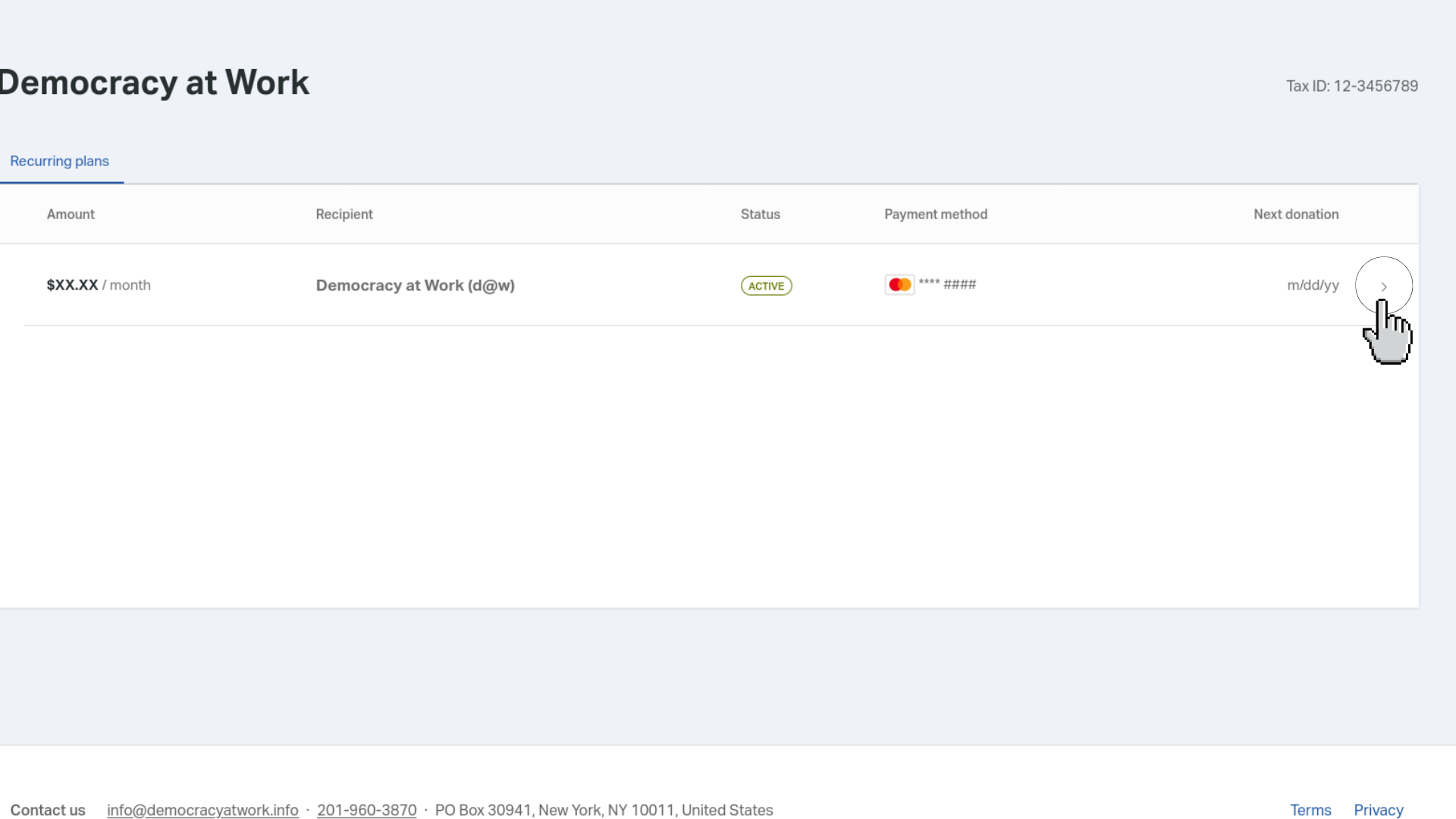
After logging in, you will be redirected to a page where you will need to click a specific button to view your payment information. Refer to the screenshot below for guidance.
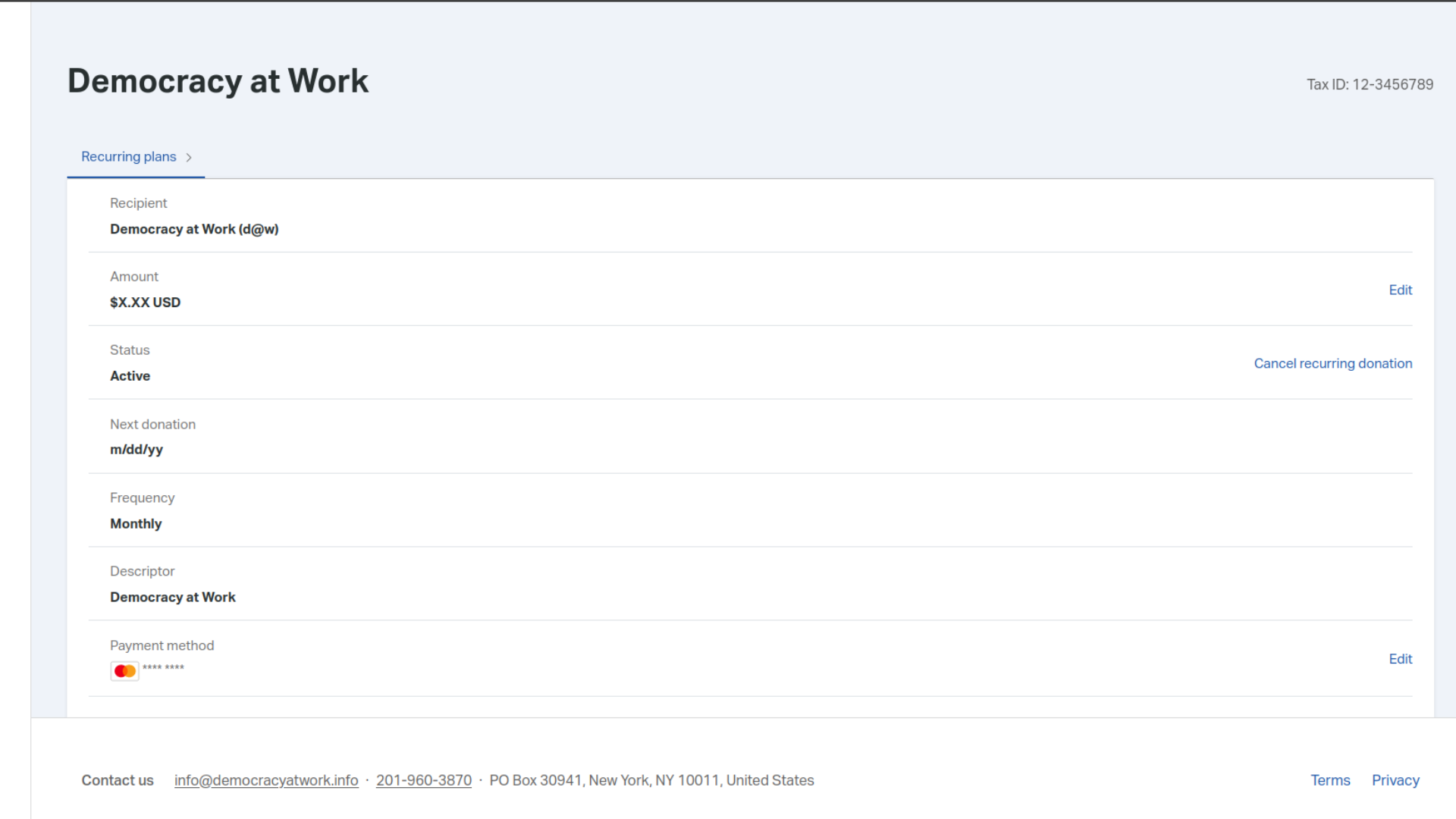
Once you click the button, you will be taken to a page where you can see your payment info, address, and edit buttons. Use the edit buttons to update your information as needed. Refer to the screenshot below for more details.